Industry 01 · Civil Engineering

Preconstruction without relying on emails, WhatsApp, or human memory.

Orchestrate every stage of your project — from preliminary studies to permit — with real technical dependencies, an immutable logbook, and an objective progress indicator.

12
Dimensions measured per project.
100%
Immutable traceability.
0
History deletions.
LDR · Villas del Norte
72%
Topographic survey · in progress
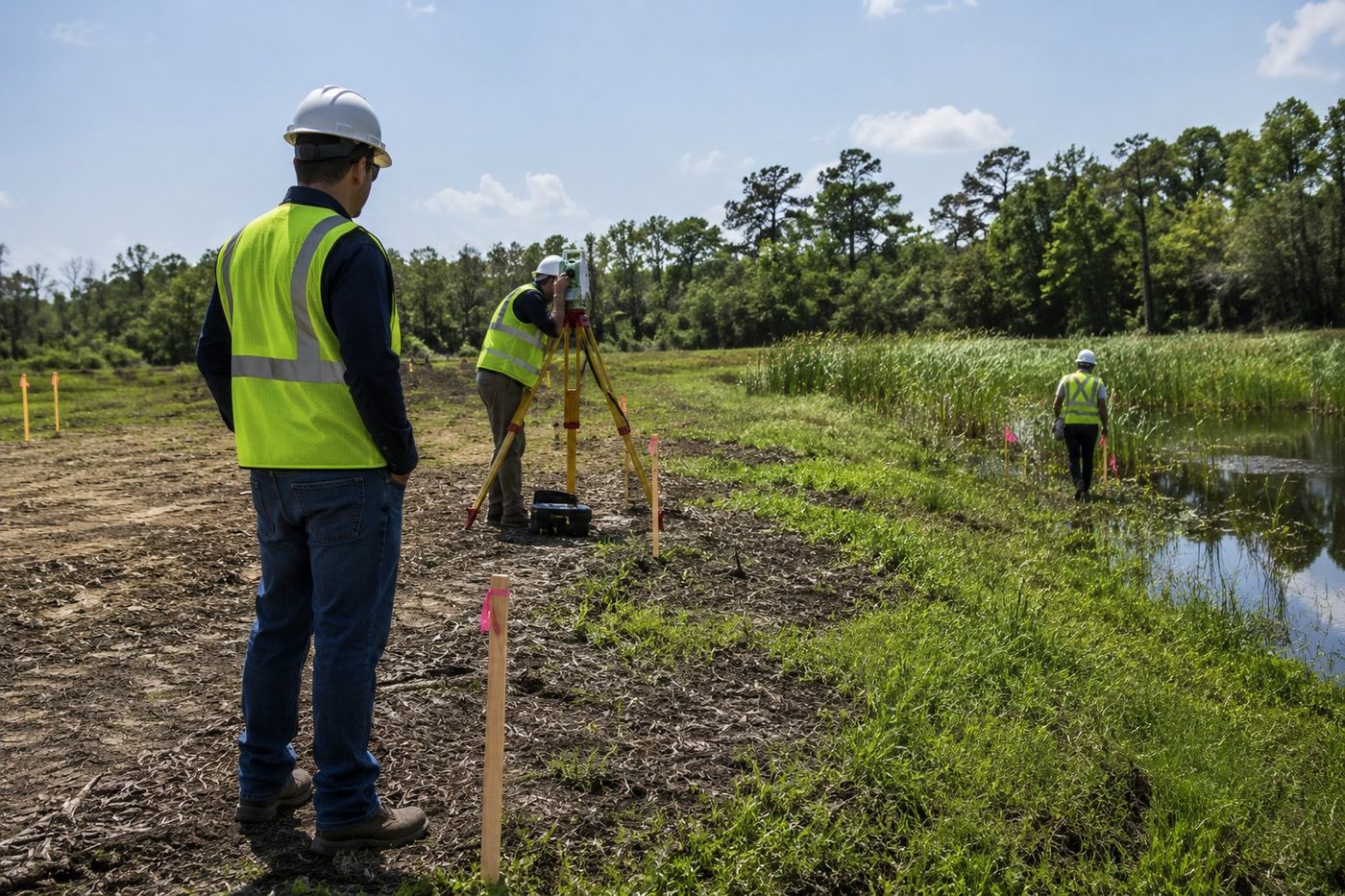
Survey crew taking boundary measurements on a development site.
01 · The problem

It's not the technical complexity. It's the absence of governance.

Projects don't fail because of the construction. They fail because of scattered information, diffuse accountability, and a lack of evidence.

Symptom 01

Conflicting versions

Drawings circulating by email and WhatsApp. No one knows which is the current version.

Symptom 02

Invisible dependencies

Structural without real survey. Permits without complete studies. Late rework.

Symptom 03

Diffuse accountability

When something slips, everyone blames everyone. There's no logbook to reconstruct the facts.

Symptom 04

No evidence to claim

Before the bank, the inspector, or litigation, there's no defensible chronological record.

03 · The solution

A backbone for the process.

We structure the workflow. Each professional does their work with clear dependencies and connected evidence.

CAP · 01

Regulated templates

Feasibility, Due Diligence, Master Plan, Rezoning, Permit. Configurable by jurisdiction.

CAP · 02

Real dependencies

An activity stays blocked until its prerequisite is approved.

CAP · 03

Immutable logbook

Every action is recorded chronologically. The project's black box.

CAP · 04

Document control

Document connected to its activity, with owner, current version, and evidence.

CAP · 05

Authorized viewers

Client, bank, and inspector view without being able to modify. They only observe.

CAP · 06

LDR indicator

A 0-100 score across 12 technical dimensions. It measures how ready the record is.

02 · The AI builds the process

You no longer design the workflow. The AI checks the current regulation and delivers it ready.

ReadyFy checks official portals — building codes (IBC, IRC), land-use plans, environmental regulations, competent authorities — and builds the process with phases, activities, dependencies, and deliverables based on the project type and jurisdiction.

The example on this page is a U.S. jurisdiction. The same principle applies to any country with published building regulations — Colombia (urban curatorships), Mexico (municipalities), Chile (DOM), Spain (city councils), United Kingdom (planning portal).
Feature 01
Builds the entire process

Phases, activities, documents, technical dependencies. A template generated for the specific project.

Feature 02
Regulation up to date

Checks the official portal in real time. Applies setbacks, FAR, FEMA restrictions, and local zoning.

Feature 03
You adjust only what's unique

Add special phases, remove those that don't apply, adjust timelines for the specific case.

Feature 04
Save your standard

What your firm considers best practice becomes your own reusable library.

ReadyFy AI // Project · Villas del Norte · May 17, 2026 2:32 PM
P
PM: 24-lot residential subdivision · Orange County FL · R-1A zone · 8.5 acres. // instruction
Checking Orange County Code Ch. 38 (Zoning), Florida Building Code 2023, FEMA Flood Maps updated Nov 2025. // 4.1s
Proposed process: 87 activities across 7 phases. Includes ALTA/NSPS Boundary Survey, Wetland Delineation, Traffic Study, Preliminary Plat, Final Plat, Construction Plans, DRC review. Technical dependencies flagged. // done
P
PM: Add Phase I ESA due to proximity to a former gas station. Remove Tree Survey - lot is cleared. // manual adjustment
Adjustments applied. Total: 83 activities across 7 phases. Save as template "R-1A Subdivision · Orange County · v2" to your library? // confirm
✓ Template saved · reusable on similar projects v2.4.1 · Anthropic Claude
04 · Process phases

The permitting workflow, with real dependencies.

Each phase has activities, owners, and deliverables. The arrows show what blocks what.

01 Feasibility & Due Diligence Parcel · zoning · use 02 Survey & Boundary Survey · ALTA/NSPS 03 Environmental & Geotechnical Soils · wetlands · FEMA 05 Permitting & Authority Review Filing · corrections 04 Engineering · Planning · Master Plan Civil · Structural · MEP Density · setbacks · rezoning 06 · CLOSEOUT Permit Issued LDR 100% · ready to build Dependencia bloqueante Flujo secuencial
Engineering doesn't close without a current survey. Nothing is filed without complete studies. ReadyFy keeps the activity blocked until its prerequisite is approved.
05 · Budget and schedule

Target vs. actual spend. No parallel spreadsheets.

Define the expected value per activity. Record payments. See variances, the Gantt, and days of delay in real time.

Budget control per activity

Every payment is recorded with date, invoice, and owner.

Activity Expected Actual Δ
Survey $ 8,500 $ 8,200 −$ 300
Geotechnical / Soils $ 12,000 $ 12,000 $ 0
Environmental $ 15,000 $ 17,400 +$ 2,400
Civil Engineering $ 38,000 $ 22,500 in progress
Permit Application Fees $ 6,500 $ 0 pending
Project total $ 80,000 $ 60,100 +$ 2,100
Actual / Total
75%
Variance
+2.6%
Invoices in the logbook
27

Schedule with days of delay

Delays calculated against the original baseline.

Completed In progress Delayed Planned
S1
S2
S3
S4
S5
S6
S7
S8
S9
S10
S11
S12
Survey
100%
Geotechnical / Soils
100%
Environmental
85% +9d
Civil Engineering
60%
Structural
planned
Permit Application
planned

Environmental has accumulated 9 days of delay. The system has already notified the owner and the PM. It's recorded in the logbook.

06 · Automation

When something changes, the owners find out on their own.

Automatic notifications by email, WhatsApp Business, and in-app. No chasing consultants.

When · 72h before
Delivery due soon

"Your deliverable is due in 72 hours. Pending documents: 2."

When · Overdue
Delay detected

"Survey passed its date. Delay: 2 days. Blocks: Civil Design."

When · New version
New version

"V3 of the geotechnical study uploaded. Pending your review."

When · Approval
Milestone completed

"Survey and Boundary phase approved. LDR: 72%."

03 · 7 · Immutable traceability

Here, nothing is deleted. It's only versioned.

Uploaded the wrong file? Upload the correct version. The previous one stays marked as replaced in the logbook — with date, time, user, and reason.

Before (Drive, emails)

Drive, emails, and shared folders

  • Anyone with access overwrites or deletes.
  • Deleted by mistake = total loss.
  • Versions are named "final_v2", "FINAL_real_v3".
  • No who, no when, no why.
  • Before litigation or an audit, no evidence.
After (ReadyFy)

Immutable logbook + mandatory versioning

  • There's no "delete." Only "new version."
  • The previous version stays in the logbook, marked as replaced.
  • Every action records user, date, time, IP, and role.
  • Not even the owner can modify the logbook.
  • Exportable and digitally signed.
// LOGBOOK · ENVIRONMENTAL ACTIVITY · WETLAND DELINEATION
Mar 14, 2026 · 09:18 V1 consultant@hydro.com · wetland_delineation_DRAFT.pdf replaced
Mar 14, 2026 · 14:33 V2 consultant@hydro.com · wetland_delineation_v2.pdf — corrects NE coordinate replaced
Mar 16, 2026 · 11:07 REV pm@readyfy.ai · requested correction: "delineate ZONE A2 per updated FEMA" comment
Mar 18, 2026 · 16:51 V3 consultant@hydro.com · wetland_delineation_v3_FINAL.pdf current
Mar 19, 2026 · 09:12 OK pm@readyfy.ai · approved V3 · activity status → APPROVED approved

Here, nothing is deleted. It's versioned. That protects the project, the study, and the client.

07 · Integrations

Everything you already use, inside the app.

AI, storage, and messaging connected. Every interaction recorded in the logbook.

Layer · 01

Artificial Intelligence

Progress summaries, missing-document detection, meeting minutes, classification, an industry assistant.

Layer · 02

Storage

Record documents backed by enterprise infrastructure. Versions and permissions governed by ReadyFy.

Layer · 03

Messaging and email

Messaging integrated into the workflow. Pre-approved templates for notifications. Every message recorded in the logbook.

Layer · 04

Geolocation

Parcel coordinates, adjacent lots, FEMA restrictions, utility locations, and access points.

Trademarks belong to their respective owners. Integration via official public APIs.

08 · Who sees what

Share the process. Without handing over control.

Unlike SharePoint, ClickUp, or Drive: sharing doesn't mean allowing editing. Client, bank, and inspector view without being able to alter.

Project Manager · Drives the workflow.

Creates the project from a template, assigns owners, defines dependencies, reviews deliverables, requests corrections, and certifies progress. It's the only role that can modify the process structure.

  • Create, edit, and close activities
  • Assign owners and define dependencies
  • Approve or reject deliverables
  • Generate reports and certifications
  • Delete the historical logbook
// SESSION · project-manager@readyfy
edit_workflowenabled
assign_tasksenabled
approve_deliverablesenabled
edit_logbookdisabled · immutable
notify_stakeholdersenabled
export_auditenabled

Consultant · Delivers and responds.

Surveyors, geotechnical, structural, environmental, and planning specialists. They receive assigned activities, upload deliverables, respond to comments, and leave evidence of their participation.

  • Upload deliverables to assigned activities
  • Comment and respond to corrections
  • View dependencies and precedence
  • Modify other consultants' activities
  • Approve their own deliverables
// SESSION · consultant@readyfy
upload_deliverableenabled · scoped-to-activity
respond_reviewenabled
view_dependenciesenabled
approve_owndisabled
edit_other_tasksdisabled

Client · Authorized viewer.

The owner or developer accesses through a unique tracking link. They see real progress, the LDR, upcoming deliveries, and the chronological logbook. They cannot modify any element of the workflow.

  • View overall status and project LDR
  • Review the complete chronological logbook
  • Receive executive reports by email
  • Edit activities, deadlines, or owners
  • Alter dependencies or schedule
// SESSION · viewer-client@readyfy · READ ONLY
view_ldr_scoreenabled
view_logbookenabled · read-only
download_reportsenabled
edit_anythingdisabled · permanent
alter_workflowdisabled · permanent
access_methodlink · revocable

Bank · Viewer with a financial focus.

The lender accesses to verify progress against milestone-conditioned disbursements. They see which deliverables are approved, which phases are complete, and what percentage of the LDR has been covered.

  • View completed milestones with evidence
  • Verify approved deliverables
  • Download the certified lender report
  • Edit, comment on, or approve activities
  • Access unauthorized documents
// SESSION · viewer-lender@readyfy · READ ONLY
view_milestonesenabled
verify_evidenceenabled
download_bank_reportenabled
access_scopefinancial-milestones
comment_tasksdisabled
workflow_impactzero · viewer

Oversight · Verifies without intervening in the workflow.

Oversight audits coherence, document completeness, and schedule compliance. It can leave observations in a separate audit layer — without altering the project's operational logbook.

  • Audit the complete record
  • Leave observations in the audit layer
  • Verify the chronological logbook
  • Export the signed oversight report
  • Modify activities in the operational workflow
// SESSION · oversight@readyfy · AUDIT-LAYER
audit_recordenabled
leave_observationsaudit-layer · isolated
verify_chronologyenabled
export_signed_reportenabled
modify_operational_workflowdisabled
logbook_integrityprotected · immutable
09 · LDR indicator

An objective score of readiness. Not an opinion.

The LDR (Land Development Readiness) measures how ready the project is to advance — investment, financing, permitting, or construction. 12 dimensions, configurable weights.

Project · Villas del Norte
72%
High readiness · ready for pre-application
Trend · 30d
▲ +14 pts
Property Data
95%
Legal & Ownership
88%
Survey & Boundary
100%
Environmental
70%
Planning & Zoning
82%
Infrastructure & Utilities
55%
Engineering
60%
Permit Application
40%

The LDR does not approve permits. It proves the record is ready to be evaluated.

Approval belongs to the authority. Technical quality belongs to the licensed professional. ReadyFy measures and certifies the status — it does not replace the institutional decision.

What it does deliver: what's missing, what's blocking, who needs to act.

// LDR SCALE
0 – 25% · Not ready
26 – 50% · Initial readiness
51 – 70% · Intermediate readiness
71 – 85% · High readiness
86 – 100% · Advanced readiness
Cross-cutting case · Urgent

Public tenders and competitions: short deadline, exhaustive evidence, zero margin for error.

Government contracting, private invitations, merit-based competitions. Strict deadlines, extensive bid documents, paperwork that disqualifies you if a single piece is missing. Where spreadsheets and emails fall short.

Pillar 01
Urgency

A visible countdown. Staggered alerts to owners. Zero surprises on the last day.

Pillar 02
Precision

Bid document mapped to a checklist. Every requirement linked to its document and its owner.

Pillar 03
Legality

Digital signatures with timestamps. Immutable logbook. A defense against challenges or appeals.

// ACTIVE TENDER
Public Tender · Tertiary Road Segment 4 — INVIAS
Closes in
3 d 14h
Bid conditions and addenda
v3 · May 14
Chamber of commerce · Tax ID · Bidder registry
current
Residual contracting capacity
verified
Proven experience (residual K)
6/6 certified
!
Unit Price Analysis (UPA)
final review
!
Bid bond
insurer · 24h
Cover letter signed by legal rep.
to sign
Filing in SECOP II
scheduled
Ready to file PRR · 68%

Turn your next project into a record that's organized, measurable, and defensible.

20 minutes. We'll show you your process inside ReadyFy.